Noon report & operations Core (open)
The master speaks the report; the numbers are checked against yesterday.
Problems it solves
- Noon reports retyped from email
- ROB errors found at bunkering
- Consumption claims without data

What you see
What each page shows
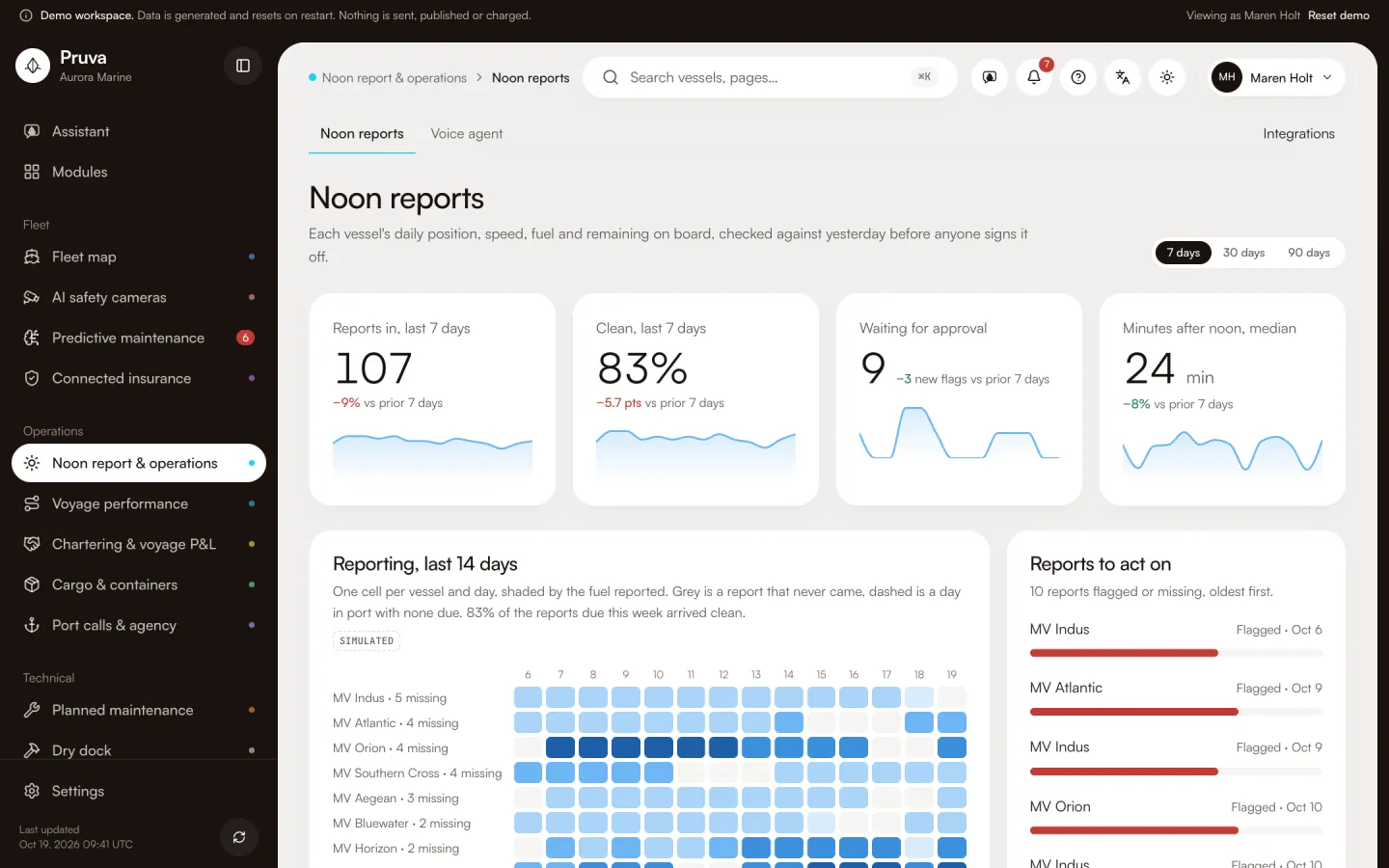
- Noon reports
- A 14-day reporting grid per vessel, the flagged reports waiting for approval, minutes after noon by channel, and each vessel's daily position, speed, distance, fuel used, fuel and lube remaining on board, wind and sea, how it was reported, and any check that failed against yesterday.
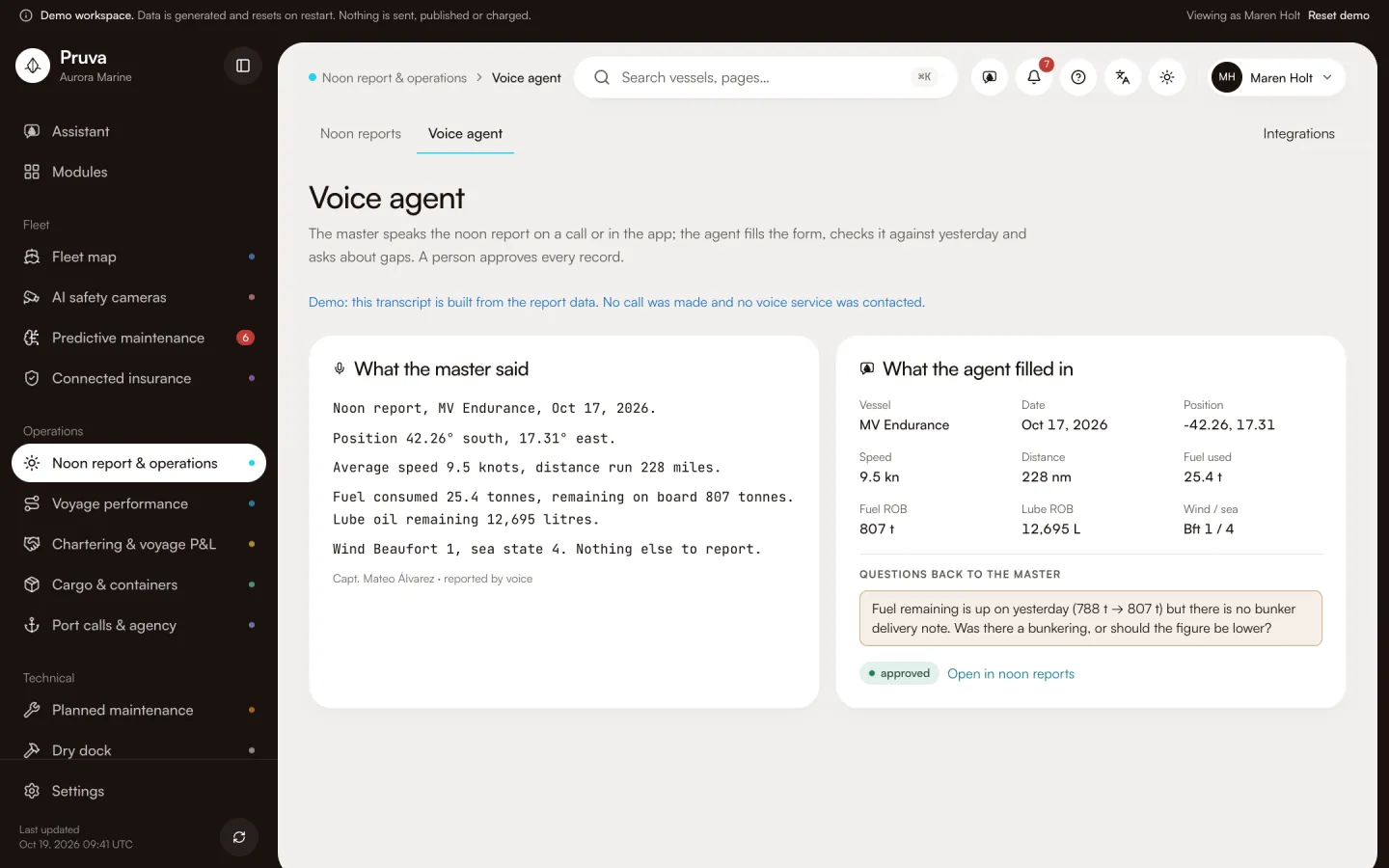
- Voice agent
- A master's spoken noon report, the form the agent filled from it, and the questions it asked about gaps.
Key workflows
Working in Noon report & operations
- 01
The master speaks or types the noon report.
- 02
Figures are checked against yesterday and the weather; gaps go back as questions.
- 03
A person approves the report; fuel and ROB feed emissions and finance.
Steps that send, accept or submit need the publish level for this module.
More screens
Key pages from the demo
Shared records
Records it shares
Written once by one module and linked from the others. Nothing is copied.
Port call
Read hereThe visit: arrival, berth, agent and timeline. Cargo files, deliveries, work orders and the DA open from it.
Fuel and ROB
Written hereEntered once in the noon report; emissions, voyages and costs read the same figures.
Shipment file
Read hereThe cargo file and its containers; the port call links to it.
Connectors
Integrations
- LiveKit voice agentVoice noon reportsAvailable on request
- WhatsApp BusinessCrew messagingAvailable on request
- StormglassMarine weatherAvailable on request
Simulated in this build. None is verified with the provider yet; each is set up on request, then connected from the module’s Integrations page.
Packages and packs
Where Noon report & operations is included
Noon report & operations is included on Essentials, Operations, Professional, Complete.
No industry pack includes it yet. Choose it on any package.
See Noon report & operations with the demo fleet
18 vessels of generated data. No sign-in, and nothing is sent.