Fleet map Core (open)
Every vessel, its health and its voyage on one map.
Problems it solves
- Calling ships to ask where they are
- ETAs kept in spreadsheets
- No single view of fleet health

What you see
What each page shows
- Fleet health
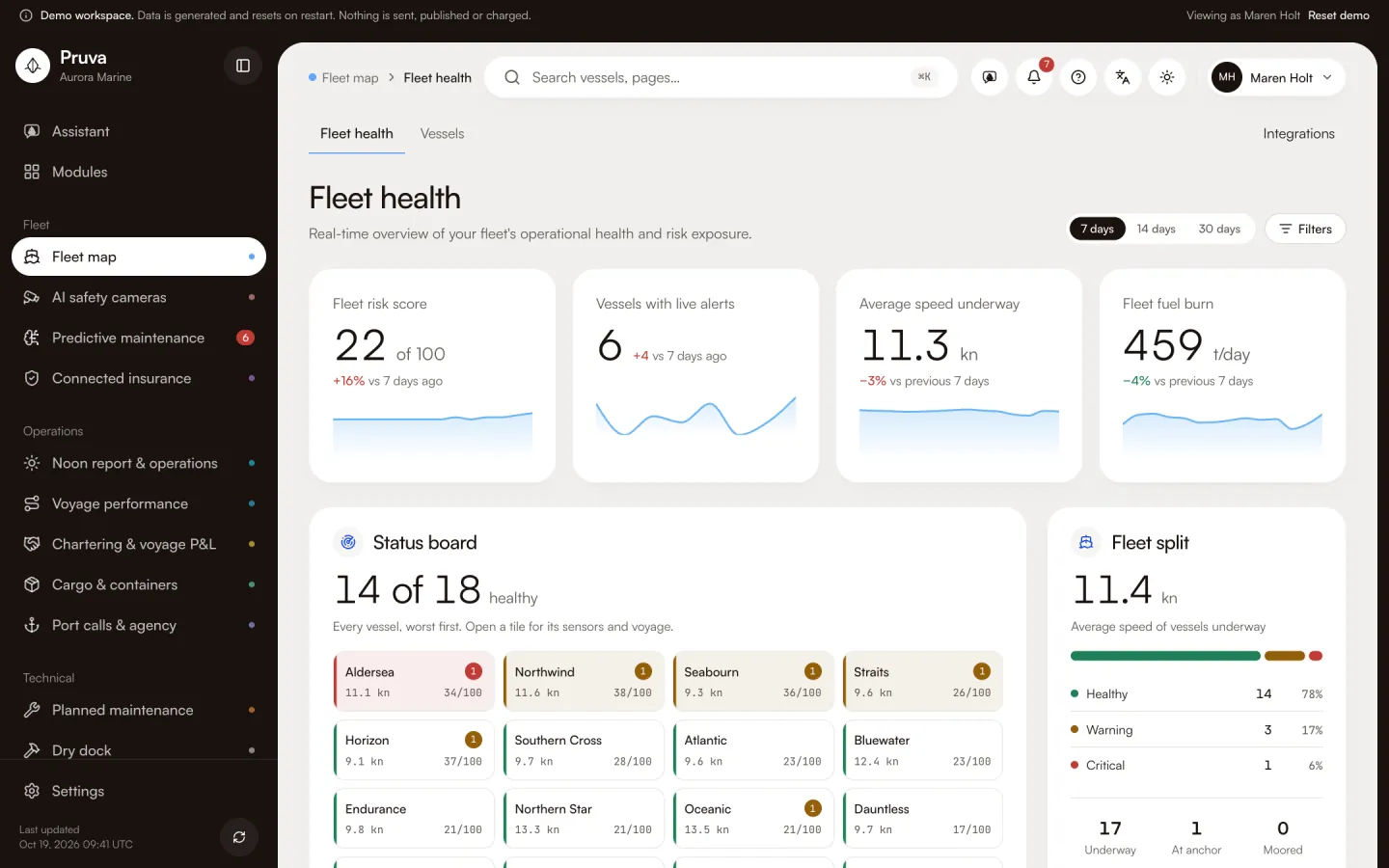
- Every vessel as a status tile with health, speed, risk score and live alerts; the health split and average speed underway; live alerts with failure risk; every vessel on a map; fleet fuel burn and fleet mix.
- Vessels
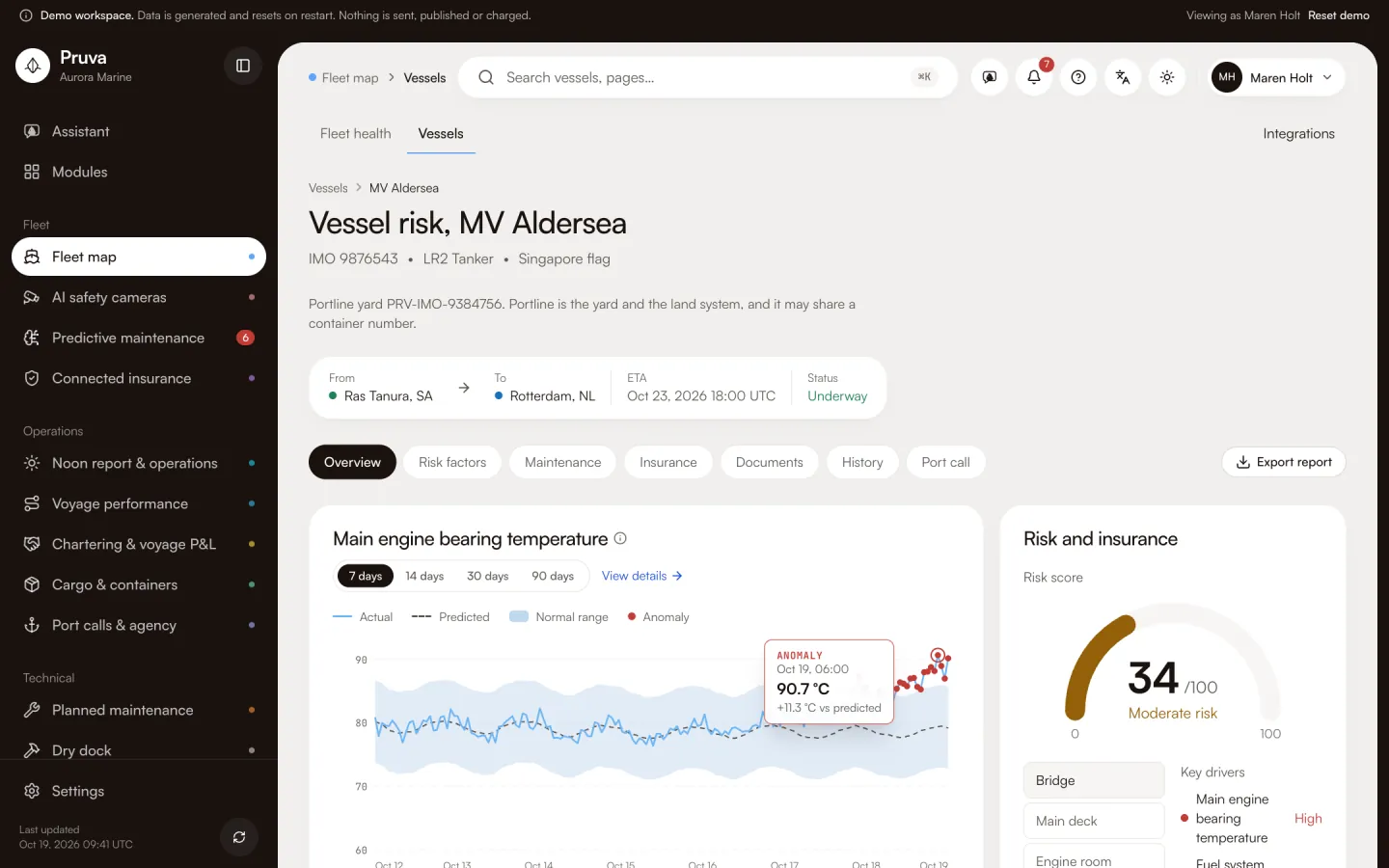
- Per vessel: health, risk score, CII rating, open alerts, speed, voyage and insurer sharing. The vessel page adds sensor charts with the normal range, CO₂, CII trend, risk drivers and the next maintenance window.
Key workflows
Working in Fleet map
- 01
Open fleet health: every vessel worst first, with speed and health score.
- 02
Open a vessel for its sensor charts, voyage, risk factors and port call.
- 03
Follow an alert from the vessel to the predictive queue.
More screens
Key pages from the demo
Shared records
Records it shares
Written once by one module and linked from the others. Nothing is copied.
Port call
Read hereThe visit: arrival, berth, agent and timeline. Cargo files, deliveries, work orders and the DA open from it.
Job card
Read hereThe maintenance job with its steps, running hours and spares. Alerts, surveys and the dock specification point to it.
Risk score
Read hereComputed by predictive maintenance; insurance, cameras and HSEQ show it without changing it.
Connectors
Integrations
- Spire MaritimeAIS positionsAvailable on request
- Onboard gateway (MQTT)Engine telemetryAvailable on request
- Siemens SIMATIC historianMachinery historian (OPC UA)Available on request
Simulated in this build. None is verified with the provider yet; each is set up on request, then connected from the module’s Integrations page.
Packages and packs
Where Fleet map is included
Fleet map is included on Essentials, Operations, Professional, Complete.
No industry pack includes it yet. Choose it on any package.
See Fleet map with the demo fleet
18 vessels of generated data. No sign-in, and nothing is sent.