Inventory Core (open)
Spares and stores per vessel, minimum levels, consumption, IHM.
Problems it solves
- Critical spares out of stock at sea
- Duplicate orders for parts on board
- IHM list out of date

What you see
What each page shows
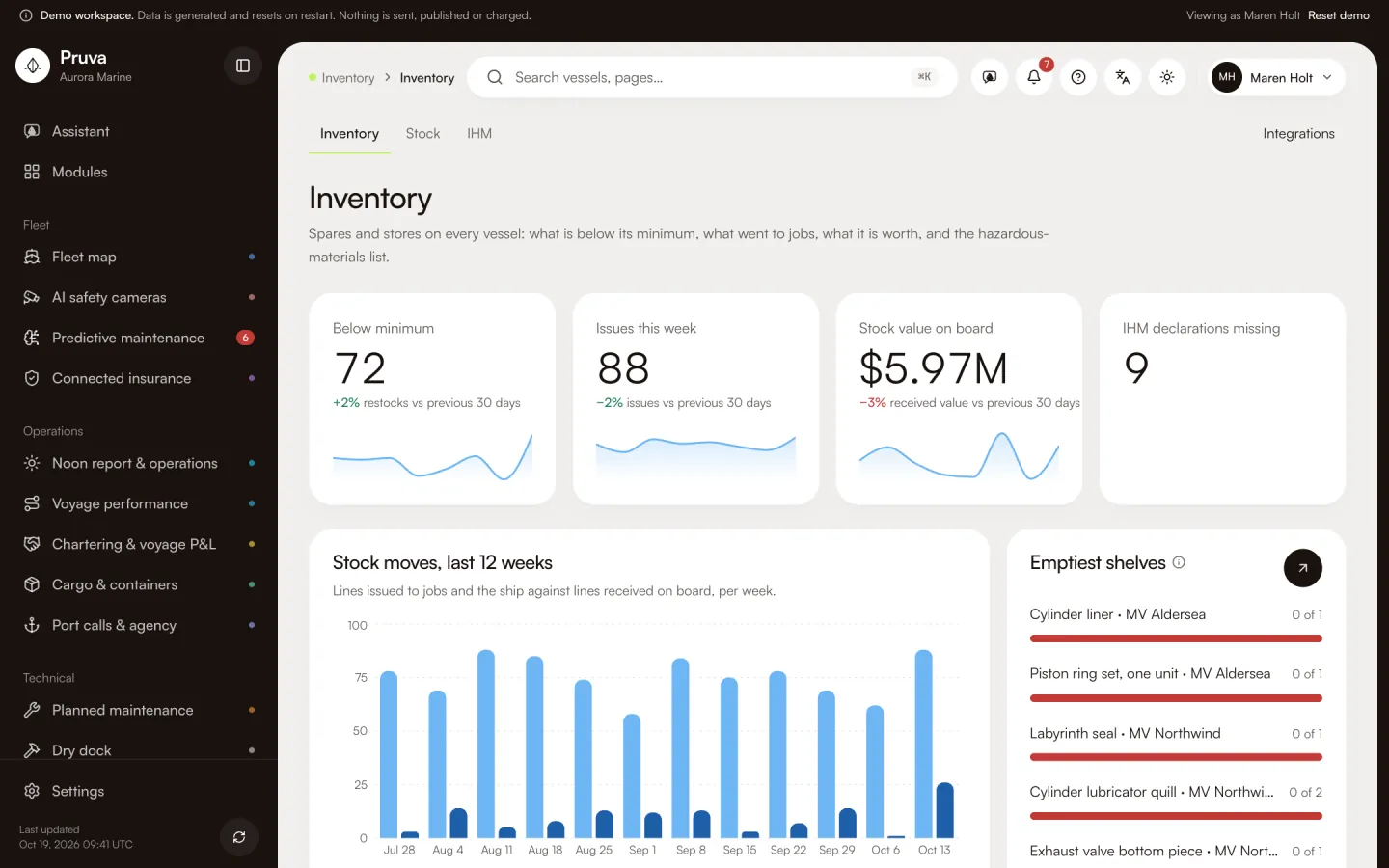
- Inventory
- Parts below their minimum level, issues to jobs this week, the stock value on board and IHM declarations still missing.
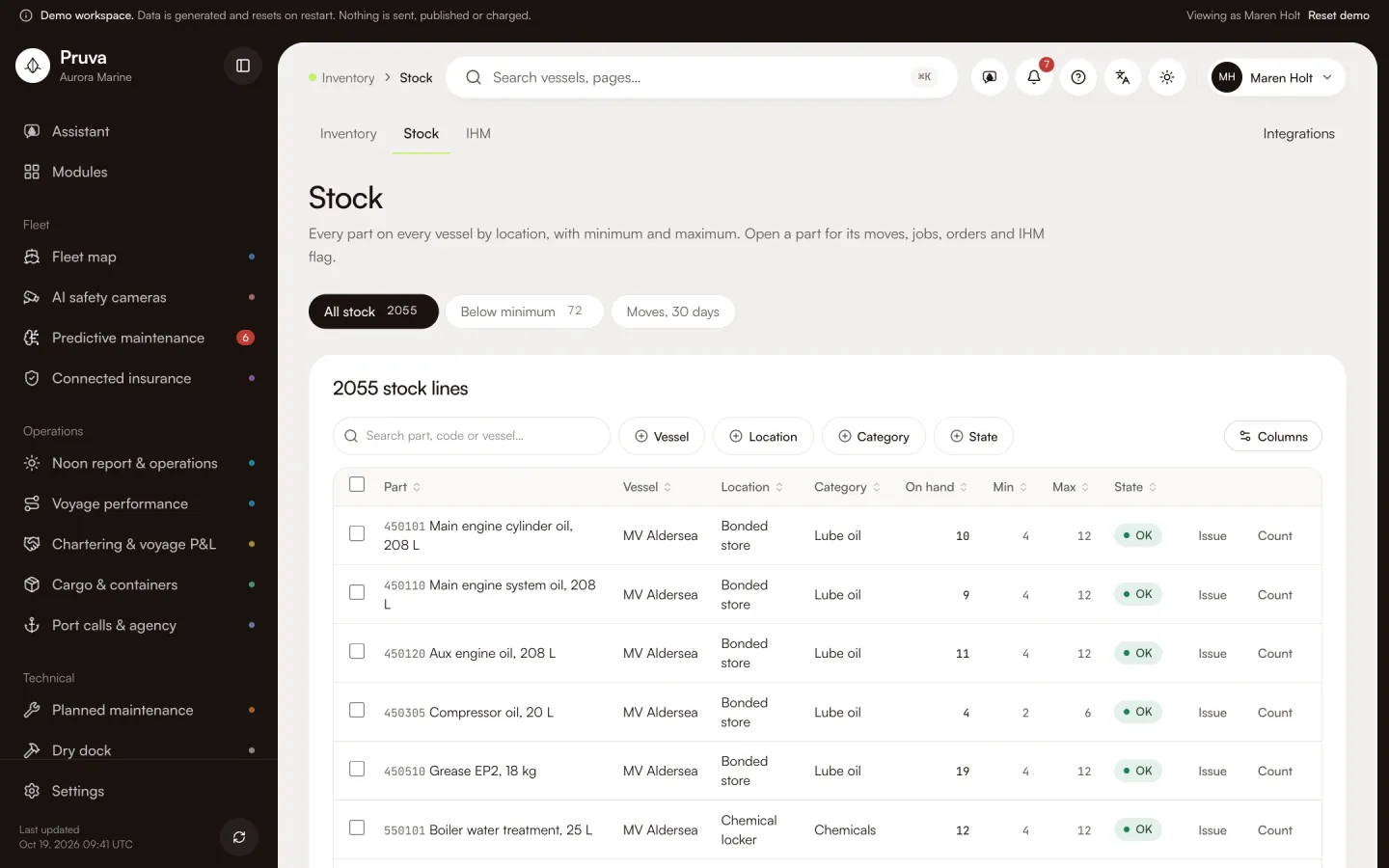
- Stock
- Stock per vessel and location: part, on hand, minimum and maximum. Each part opens its stock on every vessel, moves, the jobs that use it, open orders and its IHM flag.
- IHM
- The inventory of hazardous materials for one vessel: material built into the equipment and hazardous stores on board, with the declaration status of each line.
Key workflows
Working in Inventory
- 01
See stock per vessel and location against minimum and maximum.
- 02
Issue a part to a job or count the stock.
- 03
Keep the hazardous-materials list for every vessel.
More screens
Key pages from the demo
Shared records
Records it shares
Written once by one module and linked from the others. Nothing is copied.
Spare part
Written hereOne row per part: requested on the job, bought on the order and received into stock.
IHM line
Written hereThe hazardous-materials list per vessel; orders and the dock carry the declaration.
Connectors
Integrations
- Barcode scannerStock countsAvailable on request
- IHM registerHazardous materialsAvailable on request
Simulated in this build. None is verified with the provider yet; each is set up on request, then connected from the module’s Integrations page.
Packages and packs
Where Inventory is included
Inventory is included on Essentials, Operations, Professional, Complete.
No industry pack includes it yet. Choose it on any package.
See Inventory with the demo fleet
18 vessels of generated data. No sign-in, and nothing is sent.